Understanding Different Types of Online Discounts
Not all online discounts follow the same operational rules. Retailers generally utilize three distinct mechanisms to deliver savings to shoppers: manual coupon codes, automatic cart markdowns, and category-level clearance promotions. Recognizing which type of offer you are dealing with is essential for setting realistic expectations during the checkout process.
Manual coupon codes represent the most traditional format. These are alphanumeric strings such as SAVE15 or FREESHIP that must be deliberately typed or pasted into an input field during checkout. Because merchants frequently limit manual codes to specific customer cohorts or promotional windows, they offer substantial savings but require active verification.
Automatic discounts, by contrast, apply directly to your shopping basket once qualifying conditions are met, such as exceeding an order threshold or following an affiliated promotional link. Many shoppers waste considerable time searching for a manual code box when the retailer has already applied the promotion automatically at the product or cart stage.
Pro Tips Key Checkout Checklist
- Distinguish whether an offer requires an alphanumeric code or functions as an automatic direct-link promotion.
- Examine if coupon codes are case-sensitive, as certain checkout engines reject lowercase input.
- Check whether the promotion is exclusive to first-time customer accounts or accessible sitewide.
How to Search Efficiently for Active Codes
When searching for coupon codes on public search engines, shoppers routinely encounter hundreds of low-tier aggregator pages that prioritize search engine rankings over data accuracy. Many of these websites intentionally republish expired vouchers from previous years to generate traffic impressions and affiliate tracking cookies without providing any actual savings.
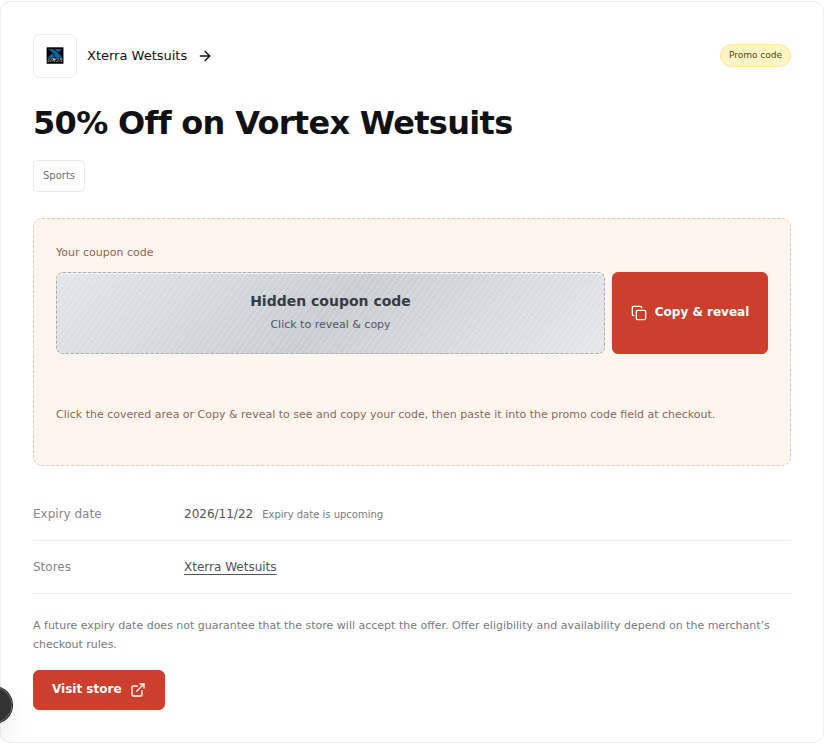
To bypass these dead ends, begin your search on transparent deal platforms like ChoiceCode that focus on clean categorization and honest expiration metadata. Rather than clicking through deceptive 'Reveal Code' overlays that force open five unwanted browser tabs, seek sources that present verified discount terms and direct merchant links upfront.
Another high-yield tactic involves checking store newsletters and seasonal landing pages. Major brands frequently distribute welcome discounts ranging from 10% to 20% for first-time newsletter subscribers, as well as exclusive loyalty promotional codes during seasonal events like Cyber Week, Memorial Day, and back-to-school periods.
Pro Tips Key Checkout Checklist
- Search specifically for the merchant name alongside the current month and year to filter out stale listings.
- Inspect brand category pages to discover competing retailers that may be running broader promotions on identical goods.
- Avoid aggregator sites that demand software downloads, browser toolbar installations, or sensitive personal data before showing a code.
Step-by-Step Checkout Application Technique
Applying a coupon code correctly requires attention to the sequence of checkout steps. Most e-commerce platforms, including Shopify, Salesforce Commerce Cloud, and BigCommerce, position the promo code input box either on the initial cart overview page or on the final payment selection screen.
The recommended practice is to enter your shipping address and billing details before entering the coupon code. This order of operations ensures that sales tax, regional delivery charges, and local inventory availability are fully resolved. Applying a coupon before specifying your destination can occasionally result in system calculation errors or unexpected shipping threshold drops.
Once you paste the coupon code into the designated box, always look for the explicit visual confirmation indicator before clicking 'Place Order'. The order breakdown should explicitly display a line item reflecting the deducted dollar amount, and the subtotal should decrease accordingly. If the page refreshes without reducing the total balance, the coupon was either rejected or excluded by cart limitations.
Pro Tips Key Checkout Checklist
- Always copy and paste coupon strings directly using the clipboard to eliminate typographical mistakes.
- Ensure no accidental leading or trailing space characters were copied alongside the code.
- Review the final order receipt immediately after payment to guarantee the discount was accurately honored.
Troubleshooting When a Promo Code Fails
Encountering an error message when applying a promotional code is frustrating, but understanding the underlying causes allows you to resolve the problem quickly. Retailers program their checkout systems with strict validation criteria that automatically reject non-qualifying orders.
The most common obstacle is product exclusions. Manufacturers of premium electronics, athletic footwear, and designer luxury goods frequently prohibit third-party retailers from discounting their merchandise. Even if a store advertises a 20% sitewide sale, products from restricted brand catalogs are typically excluded in the fine print.
Another frequent issue involves minimum spending thresholds. If a coupon requires a $50 minimum spend and your cart totals $49.99, the code will fail. Adding an inexpensive add-on accessory can push your subtotal over the qualification line and unlock a discount that exceeds the price of the extra item.
Pro Tips Key Checkout Checklist
- Verify that the items in your shopping bag are not flagged as clearance, gift cards, or manufacturer-excluded merchandise.
- Calculate whether your cart subtotal meets the threshold before taxes and delivery fees are calculated.
- Check whether the store allows stackable discounts or restricts orders to a single active promotional incentive.
Summary & Key Takeaways
- Always clarify whether your target discount is a manual coupon code, an automatic link, or an existing store markdown.
- Enter your destination shipping address before applying coupon codes so order thresholds and taxes calculate accurately.
- Beware of brand exclusions and minimum order criteria when troubleshooting coupon rejection messages at checkout.
- Rely on transparent shopping platforms that provide honest expiration dates without deceptive clickbait popups.